CitadelPass
The Anti-Stealer Vault.

Stop relying on insecure browser storage. CitadelPass is the strategic evolution of password management: a military-grade vault that actively fights back against stealers, blocks screen capture, and intelligently autofills your forms.

Zero-Knowledge Architecture Anti-Stealer Technology Cross-Browser Support
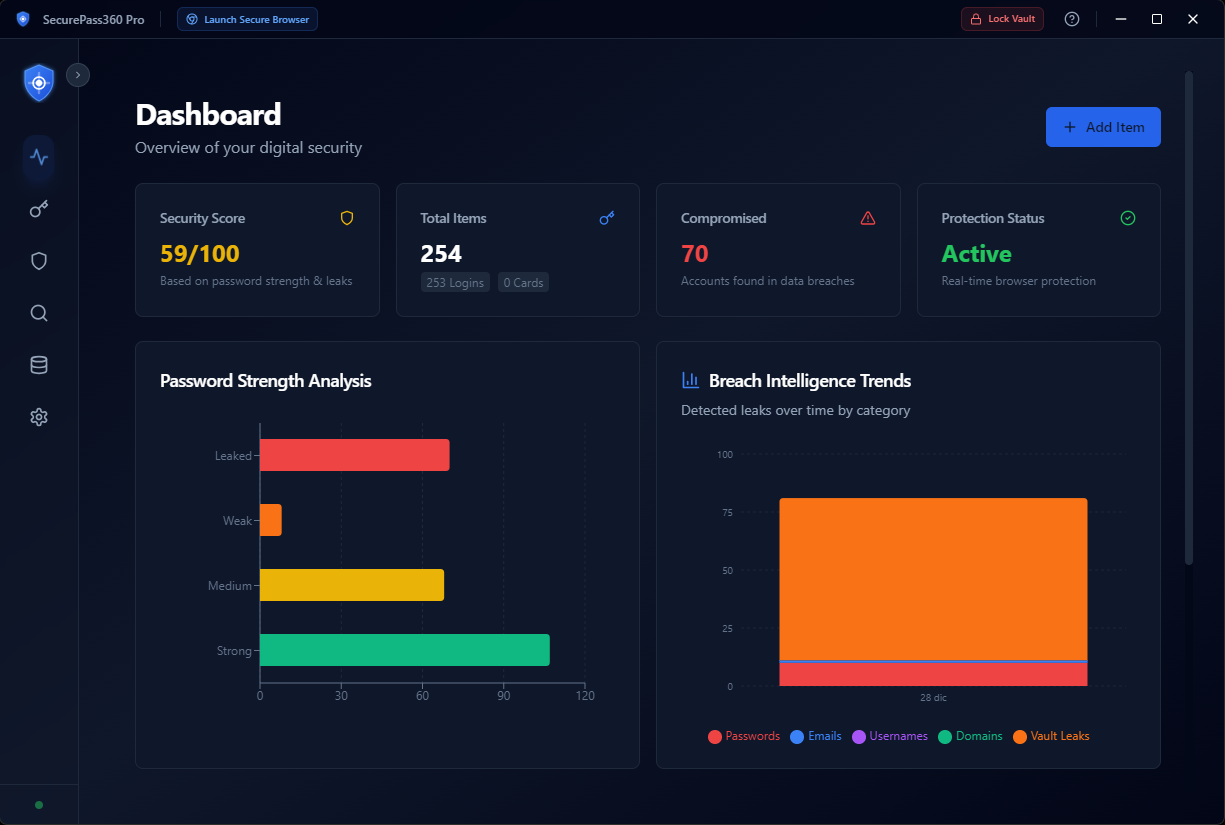
MZGuard CitadelPass Interface
Advanced Security

More Than Just a Password Manager

CitadelPass combines convenience with active defense against credential theft.

Anti-Stealer Protection

Actively blocks "stealer" malware from extracting passwords from your browser's local storage and memory.

Next-Gen Encryption Core

Your data never leaves your device. All encryption happens locally using military-grade AES-256-GCM. We cannot see your passwords.

Intelligent Autofill

Stop copy-pasting. CitadelPass instantly detects forms and fills them for you. A seamless, frustration-free login experience that prevents clipboard leaks.

Anti-Screen Capture

High-Value Protection. Prevents spyware, screen recorders, and remote access tools from capturing your vault. Your data remains invisible to digital spies.

Dark Web Monitoring

Instantly alerts you if your saved credentials appear in known data breaches or dark web dumps.

Secure Digital Wallet

Store more than just passwords. Securely keep credit cards, secure notes, and identities in your encrypted vault.

Strategic Defense

Why a Password Vault is Non-Negotiable

The End of Credential Theft

By migrating to CitadelPass, you move your credentials from a vulnerable text file to a military-grade, encrypted fortress. From this moment forward, your digital identity is shielded by three layers of active defense:

  • Next-Gen Encryption: Upgraded algorithm ensures your data is mathematically impossible to crack.
  • Anti-Screen Capture: We blind screen recorders and spyware, ensuring your vault is never visually compromised.
  • Loss Prevention & Autofill: Never lose a precious credential again. We archive and autofill your data, eliminating manual entry errorsd for use.
  • Anti-Keylogging Core: Your master password is typed into a secure channel that spyware cannot see.
Your Passwords. Truly Secure. Finally.
Seamless Migration

Take Ownership of Your Security

Importing your passwords is the only way to secure them. CitadelPass locks down the vulnerable files your browser leaves behind.

01

Export from Browser

Extract your passwords from the insecure browser storage to a temporary CSV file.

Google Chrome

Settings > Autofill > Password Manager > Settings > Export Passwords.

Microsoft Edge

Settings > Profiles > Passwords > More actions (...) > Export passwords.

Mozilla Firefox

Menu > Passwords > Menu (...) > Export Logins.

02

Import to Vault

Launch CitadelPass and select "Import". Drag and drop your CSV file to instantly encrypt and transfer your credentials.

  • Automatic format detection
  • Duplicate removal
  • Instant AES-256-GCM encryption
03

Active File Locking

CitadelPass doesn't just delete files; it locks and protects the browser's storage files in place. This prevents data loss while blocking unauthorized access.

Result: Files are "Locked" against external read attempts. Zero risk of accidental data loss.

Secure Your Passwords Today

Get CitadelPass as part of the MZGuard security suite.