RivoCleaner logoRivoCleaner

Clean your PC.
Remove only what is safe.

RivoCleaner frees disk space, fixes registry leftovers and uninstalls apps completely - always showing what it will touch, backing up before it deletes and sending files to the Recycle Bin.

Windows 10 / 11 • Backup before every registry fix • English & Italiano
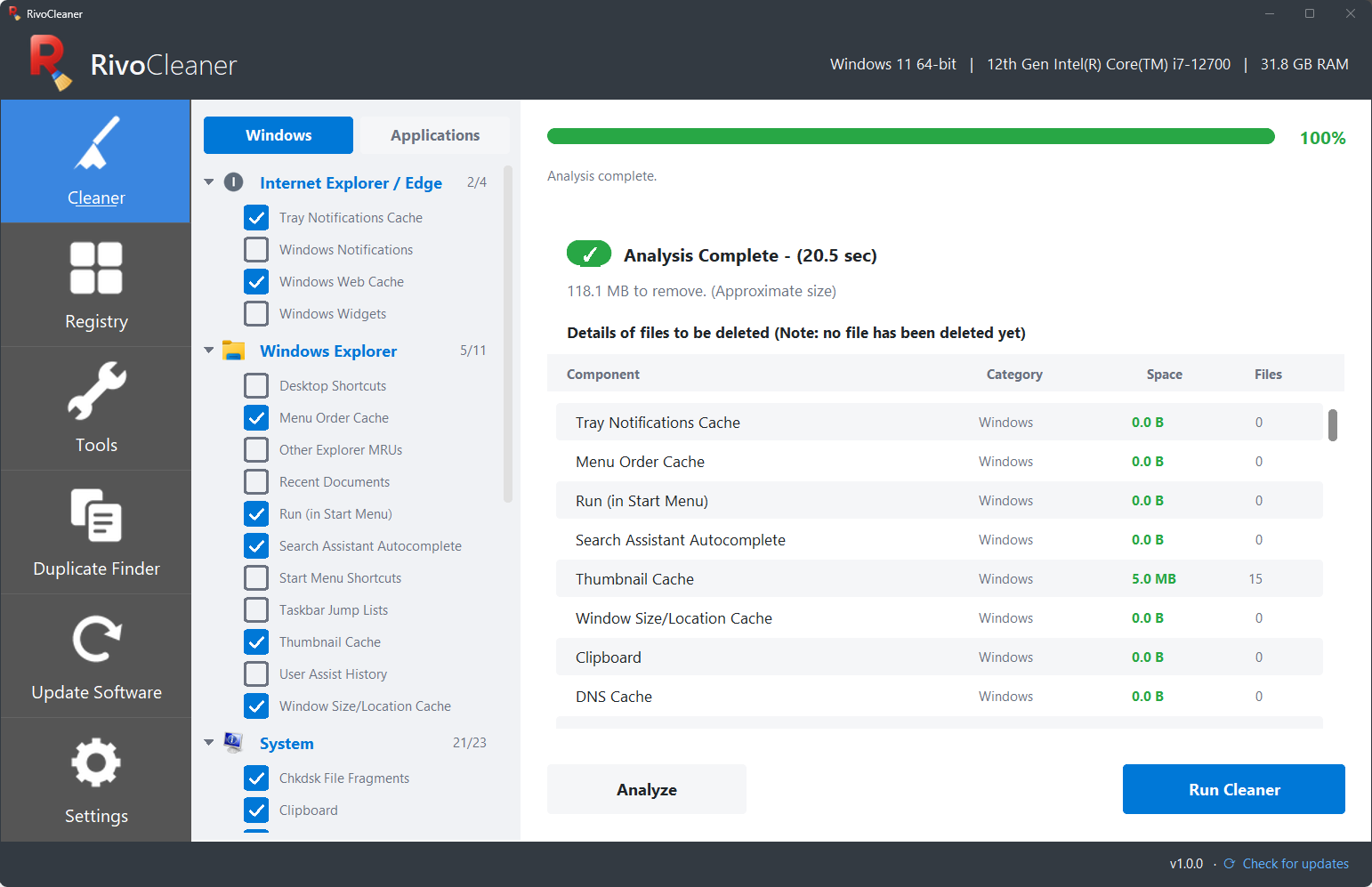
RivoCleaner main window after an analysis
Cleaner

See exactly what will be removed

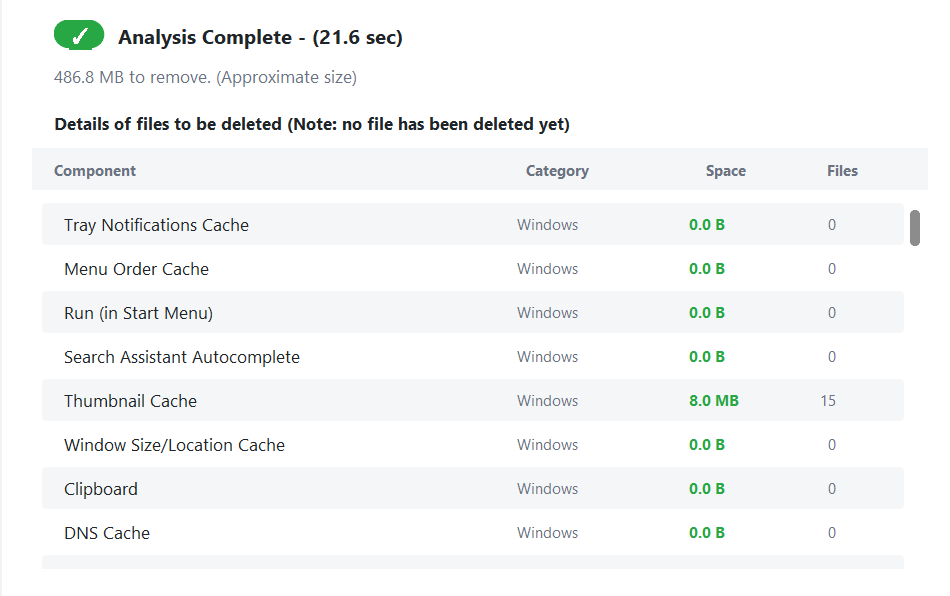
Analyze first, delete later. Every item shows its category, size and number of files before anything is touched, with a clear “no file has been deleted yet” note.

  • Windows, Explorer, system and browser caches in one list
  • Tick only what you want; groups show how many items are selected
  • After cleaning, the list shows what was freed, in KB/MB, item by item
Analysis results with size and file count for each component
Tidy list

Every browser and app, with its real icon

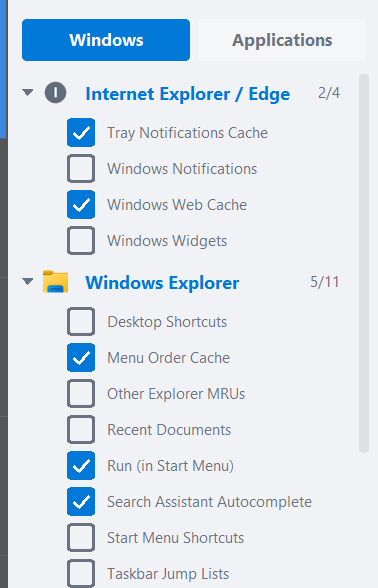
Edge, Chrome, Firefox, Brave, Vivaldi, Opera and more are grouped with their own icons, and every group has a counter such as 5/11 so you always know what is selected.

  • Collapsible groups for Windows Explorer, System and each browser
  • Windows and Applications tabs keep the list short and readable
  • Smooth even with hundreds of rules
Cleaner list with grouped items and checkboxes
Software updater

Keep your programs up to date

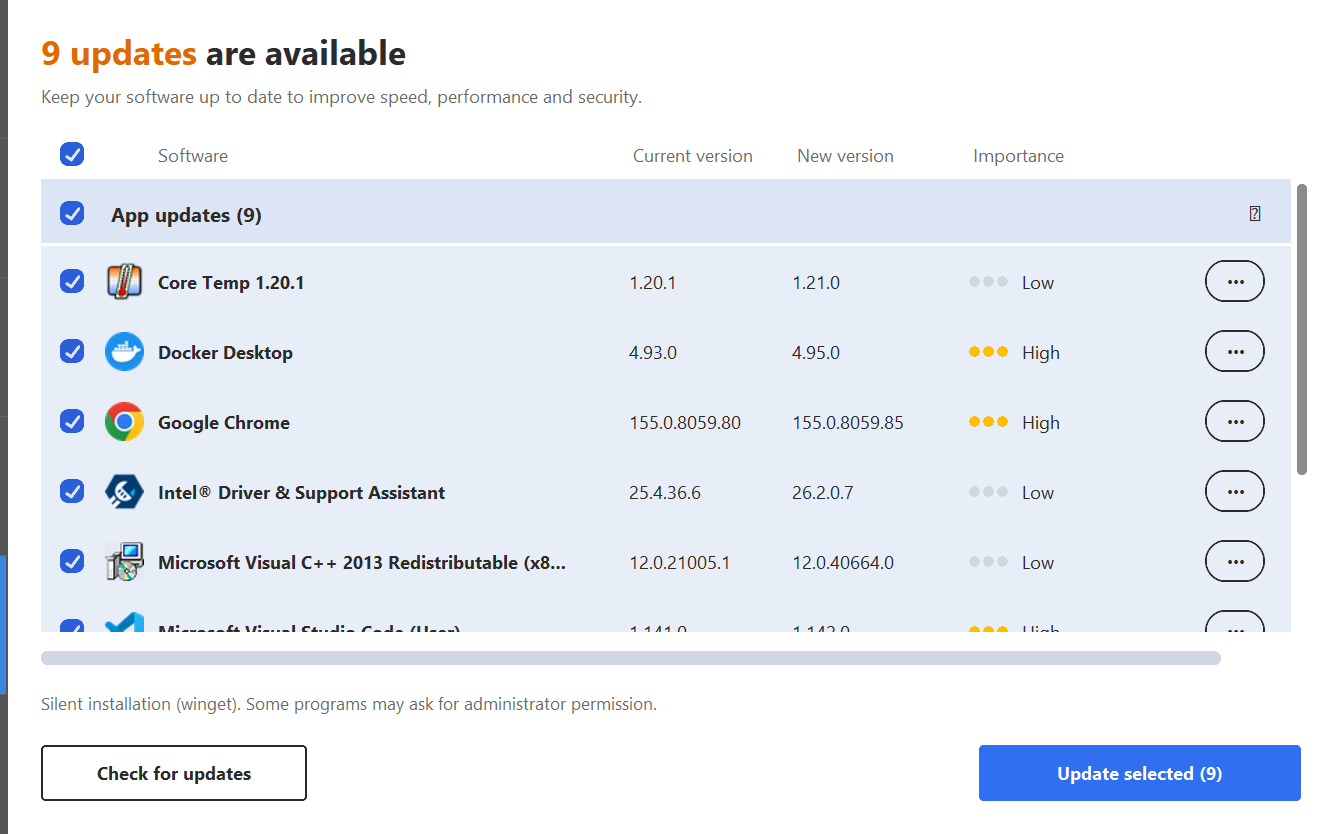
RivoCleaner finds outdated programs and updates them silently through winget, with an importance indicator so security fixes come first.

  • Current and new version side by side
  • Update everything selected with one click
  • Some programs may ask for administrator permission
Software updater listing available updates
Tray & auto-clean

Always there, never in the way

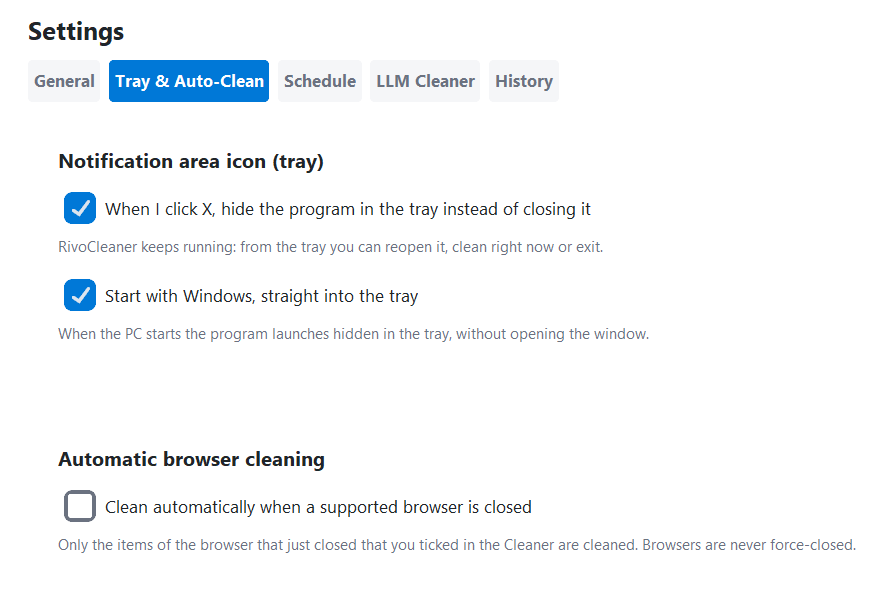
Closing the window can hide RivoCleaner in the notification area, and it can start with Windows straight into the tray. Turn on auto-clean and it cleans a browser the moment it closes.

  • “X hides in the tray” is on by default — and you can turn it off
  • Only the items you ticked, only for the browser that just closed
  • Browsers are never force-closed
Tray and auto-clean settings
Schedule

Set it once: every day or on a date

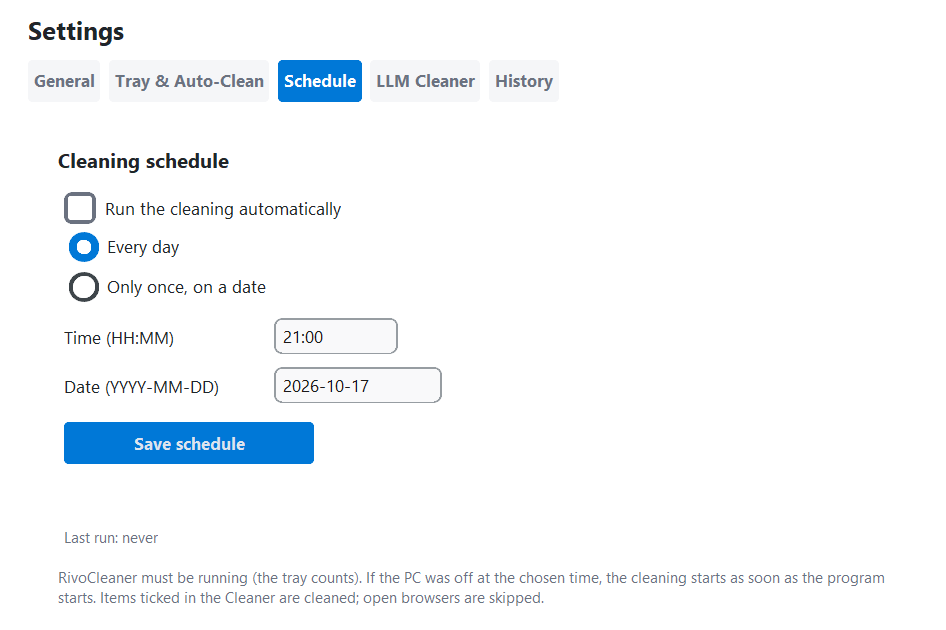
Pick a time and RivoCleaner runs the cleaning for you. If the PC was off, it catches up as soon as the program starts. Open browsers are skipped.

  • Daily or one-time schedule
  • Last run and next run always visible
  • Uses the same items you ticked in the Cleaner
Cleaning schedule settings
History

A log of every cleaning

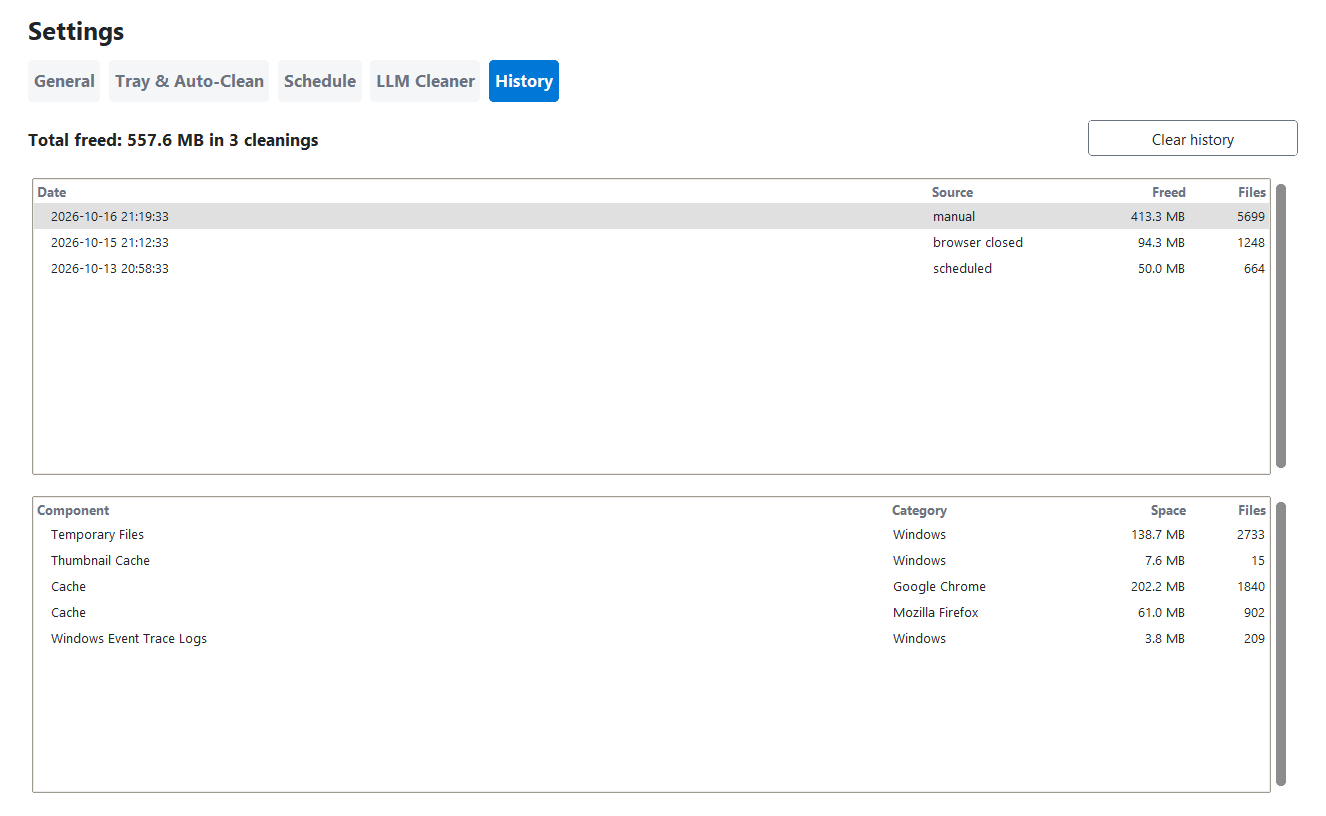
Each cleaning — manual, scheduled or after a browser closes — is saved with the date, total freed space and the list of components.

  • Total freed space across all cleanings
  • Click a cleaning to see its details
  • Clear the history whenever you want
Cleaning history with per-component details
LLM Cleaner coming soon

Smarter explanations, on the way

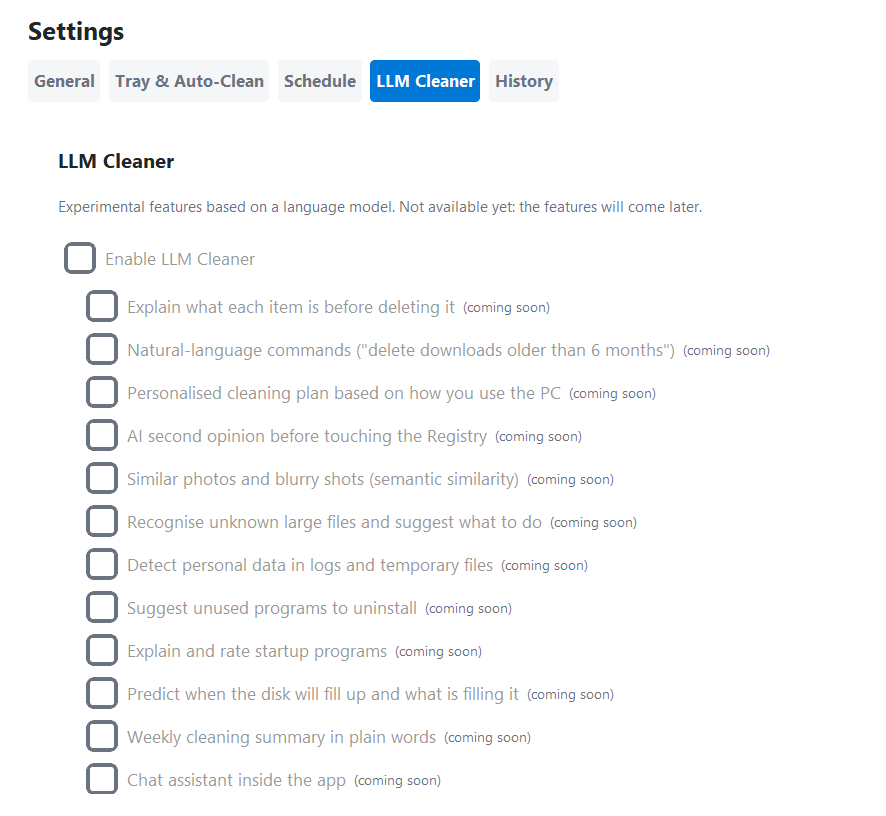
We are preparing optional language-model features: explain what an item is before deleting it, spot unknown large files, and give a second opinion before touching the registry.

  • Everything stays off until you decide to enable it
  • Planned: natural-language commands and a weekly summary
  • Not available yet in this version
LLM Cleaner settings (coming soon)
Safety first

Uninstall like a pro, delete like a pessimist

Right-click a program, uninstall it, then let RivoCleaner look for what it left behind — with strict rules.

Exact-name matching

Leftovers are matched on the program’s exact name, never on loose similarities.

Protected locations

Windows, Program Files roots and system registry keys are never offered for deletion.

Certain vs. probable

Sure matches come pre-ticked, doubtful ones stay unticked until you decide.

Recycle Bin & .reg backup

Files go to the Recycle Bin. Registry keys are exported to a .reg file before removal.

Try RivoCleaner

A cleaner you can trust, from the MZGuard family.